Never Miss a Hot Lead: Reply Instantly via Mobile App Push Notifications
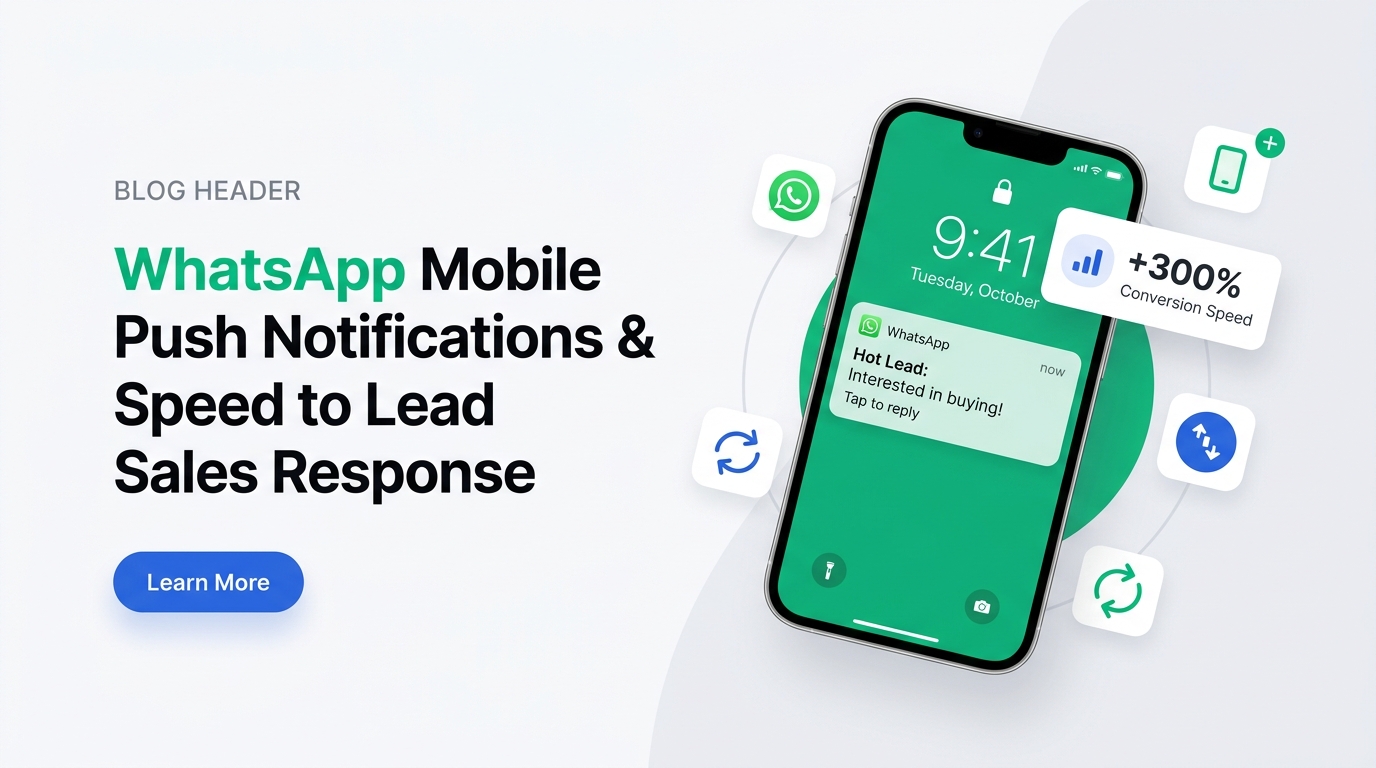
Visual 1: Real-time lockscreen alert on Android & iOS whenever a customer responds to a WhatsApp marketing broadcast.
In high-volume WhatsApp marketing, Speed-to-Lead is the single biggest factor in closing deals. When you dispatch a broadcast campaign to thousands of prospective buyers, the initial response wave generates immediate intent. However, if your sales team takes hours to respond, those hot leads cool down and purchase from a competitor.
Legacy WhatsApp Web tools force sales reps to sit tied to desktop computers all day. The moment an agent steps away for lunch or travels, incoming customer replies sit unattended. MassivSend solves this permanently with native Android and iOS mobile app push notifications!
Why Speed-to-Lead Matters (Data & Conversion Impact)
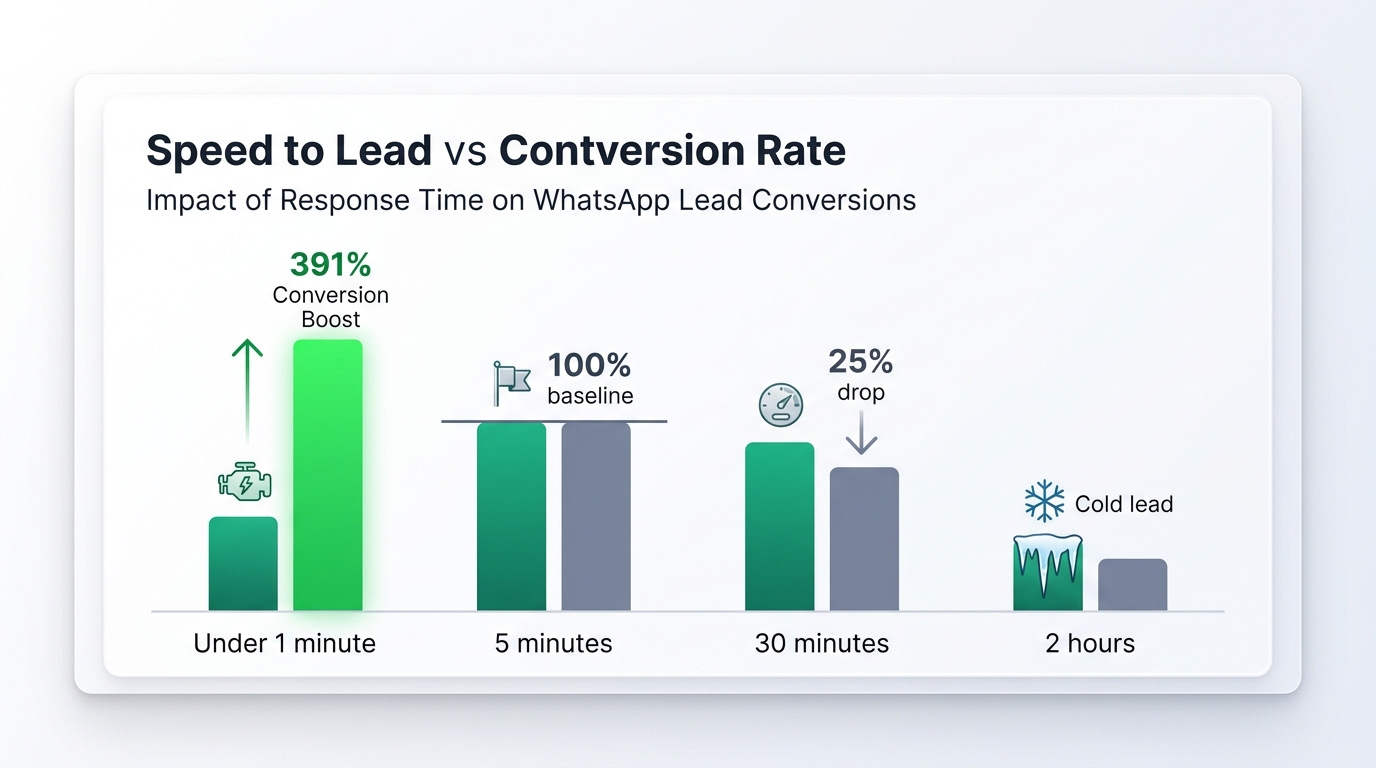
Visual 2: Response time benchmark vs lead conversion rate: Sub-60-second response yields a 391% conversion boost.
The Impact of Response Speed on Sales Revenue
- Under 1 Minute: 391% boost in conversion probability. Customers buy while purchase intent is at its peak.
- 5 Minutes: Baseline conversion window. Prospects are still active on WhatsApp.
- 30 Minutes: 25% drop in buyer engagement as prospects browse alternative solutions.
- 2 Hours+: Cold lead territory. Over 70% of buyers abandon inquiries if unanswered after 2 hours.
3-Step Instant Response Workflow via MassivSend Mobile App
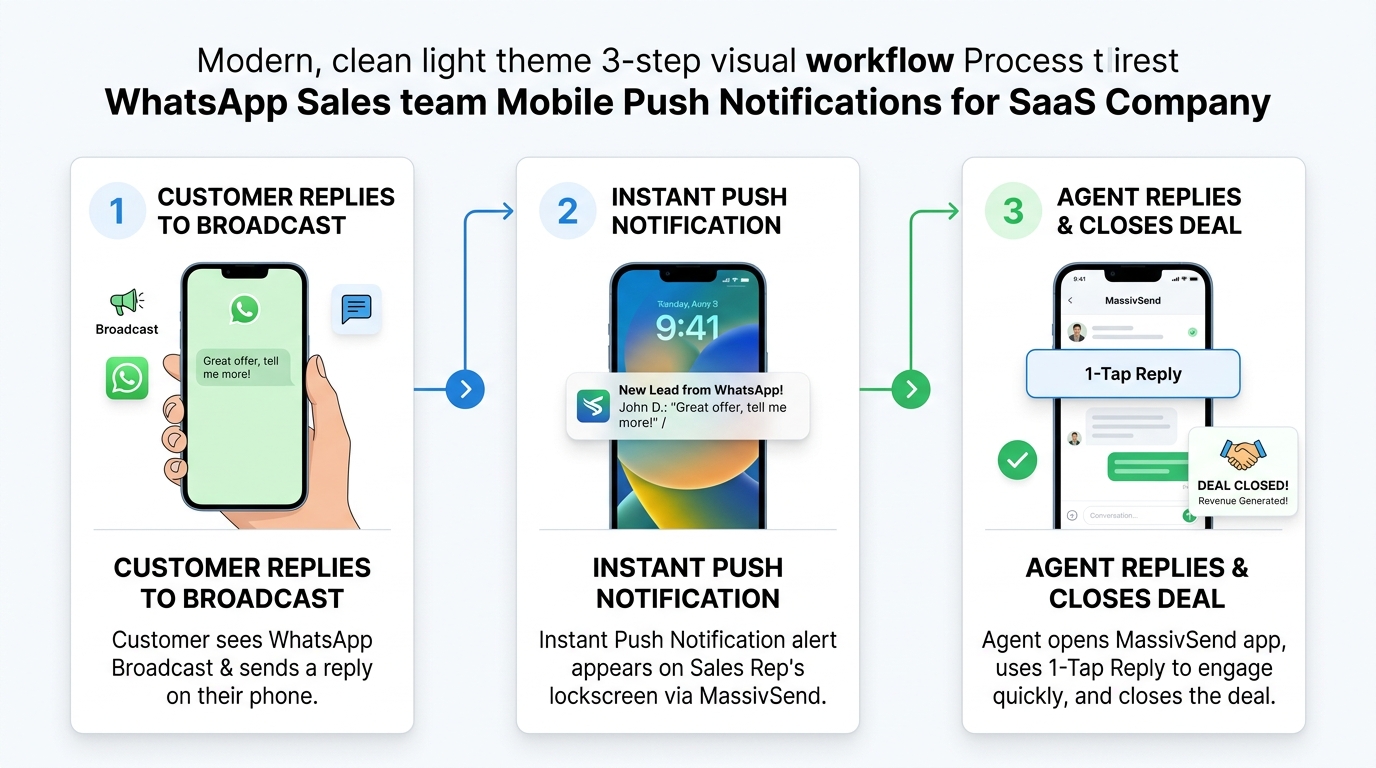
Visual 3: 3-Step Lead Response Flow: (1) Lead replies to broadcast ➔ (2) Instant Lockscreen Push Notification ➔ (3) 1-Tap Mobile Reply & Conversion.
How the Mobile Push Workflow Works
- Step 1 — Customer Replies to Broadcast: A customer opens your broadcast offer on WhatsApp and taps a quick-reply button or sends a custom message.
- Step 2 — Instant Push Notification Alert: Firebase Cloud Messaging (FCM) delivers a lockscreen push alert to your sales team's smartphones in under 1 second.
- Step 3 — 1-Tap Mobile Reply & Assignment: Tapping the notification opens the MassivSend mobile app directly inside the chat thread. The agent replies or assigns the lead in 1 tap!
Core Features of the MassivSend Android & iOS Mobile App
The MassivSend mobile app isn't just a simple messaging wrapper—it is a full-featured portable WhatsApp Sales CRM built on Flutter and the Meta Cloud API:
- Real-Time Lockscreen Push Notifications: Instant alerts with custom notification sounds and lead preview text so you know who is messaging before unlocking.
- 1-Tap Agent Assignment: Easily reassign chats to online team members or specific sales reps on the go.
- Multi-Device Real-Time Sync: Actions performed on mobile automatically update the Desktop Web Dashboard and Cloud database instantly.
- Phone Quality & Health Rating: Monitor your WhatsApp Business account health rating (GREEN / YELLOW / RED) right from the mobile home dashboard.
- Interactive Flow & Catalog Order Management: View incoming Meta Flow form submissions and WhatsApp Shop order requests right on your smartphone screen.
3 Simple Steps to Setup Push Notifications for Your Team
Download Mobile App
Install MassivSend from the Google Play Store or iOS App Store on your smartphone.
Log In & Enable Alerts
Sign in with your MassivSend credentials and allow system notification permissions.
Close Deals Anywhere
Broadcast campaigns from web and let your sales team respond to incoming hot leads 24/7 on mobile!
Frequently Asked Questions (FAQs)
Q1: Does the MassivSend Mobile App work on both Android and iOS?
Yes! MassivSend is built natively for both Android (Google Play Store) and iOS (Apple App Store) with seamless push notification support.
Q2: Can multiple sales agents receive push notifications on different phones?
Absolutely. You can add unlimited sales agents to your MassivSend team account, and each agent receives push alerts for their assigned chats or unassigned inbox leads.
Q3: Do push notifications work when the phone screen is locked or the app is closed?
Yes. MassivSend utilizes high-priority Firebase Cloud Messaging (FCM) channels so notifications wake up your lockscreen instantly even when the app is running in the background.