How to Accept WhatsApp Payments Directly in Chat (2026 Complete Guide)
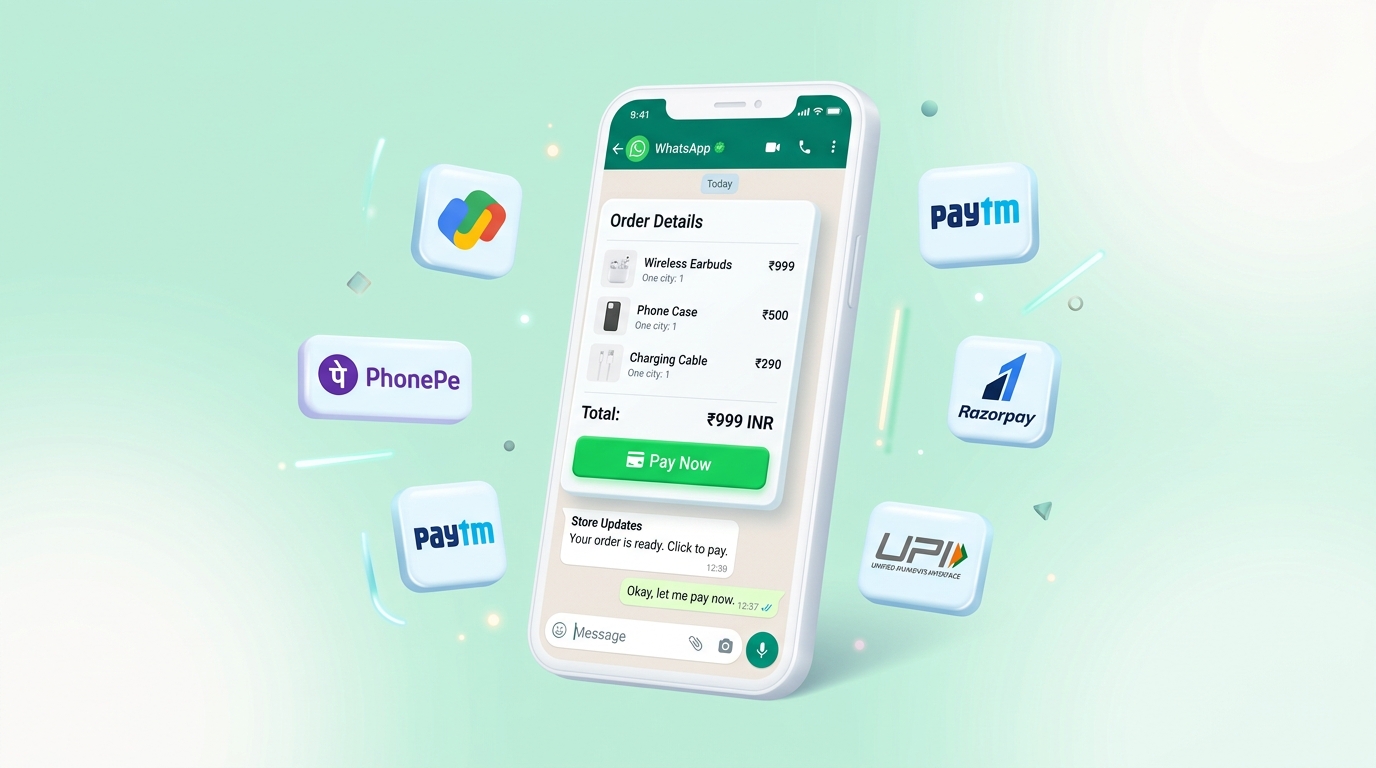
Visual 1: In-chat WhatsApp payment card showing itemized bill (₹999 INR) with 1-click Pay Now button via UPI, Google Pay, PhonePe, and Paytm.
In today's fast-moving e-commerce and services landscape, friction is the single biggest cause of lost revenue. When a prospective customer inquires on WhatsApp, redirecting them to an external payment link or website creates drop-offs. Research indicates that up to 68% of customers abandon checkout when forced to leave their primary messaging app.
With WhatsApp In-Chat Payments (powered by Meta Cloud API and MassivSend), Indian merchants can now send structured interactive bills with a native 1-click "Pay Now" button. Buyers complete payment via UPI (Google Pay, PhonePe, Paytm, or WhatsApp Pay) right inside the chat in under 10 seconds!
How WhatsApp In-Chat Payment Works (Visual Breakdown)
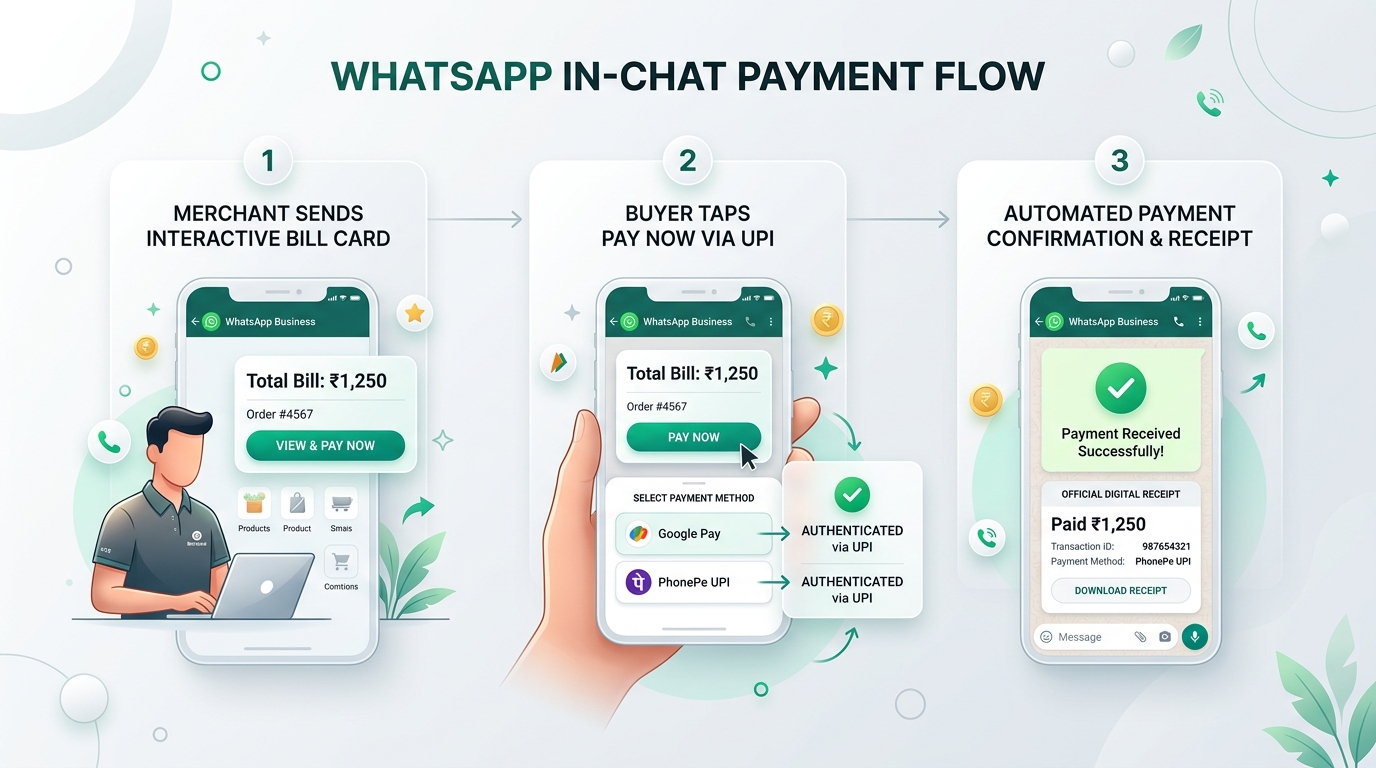
Visual 2: 3-Step In-Chat Payment Workflow: (1) Merchant sends bill card ➔ (2) Buyer taps 1-click Pay Now via UPI ➔ (3) Automated payment receipt delivered instantly.
Step-by-Step Payment Journey
- Step 1 — Merchant Sends Interactive Bill Card: The business dispatches an itemized
order_detailscard with items, price breakdown, and currency (₹ INR). - Step 2 — Buyer Taps 1-Click Pay Now: The customer taps "Pay Now" directly inside WhatsApp. The native payment sheet displays linked UPI apps (Google Pay, PhonePe, Paytm, WhatsApp Pay).
- Step 3 — Instant Automated Confirmation & Receipt: Upon biometric/PIN approval, Meta sends a real-time webhook (`payment_status: paid`) to MassivSend, which instantly issues a digital receipt and updates inventory.
Visual Comparison: External Links vs. WhatsApp In-Chat Payment
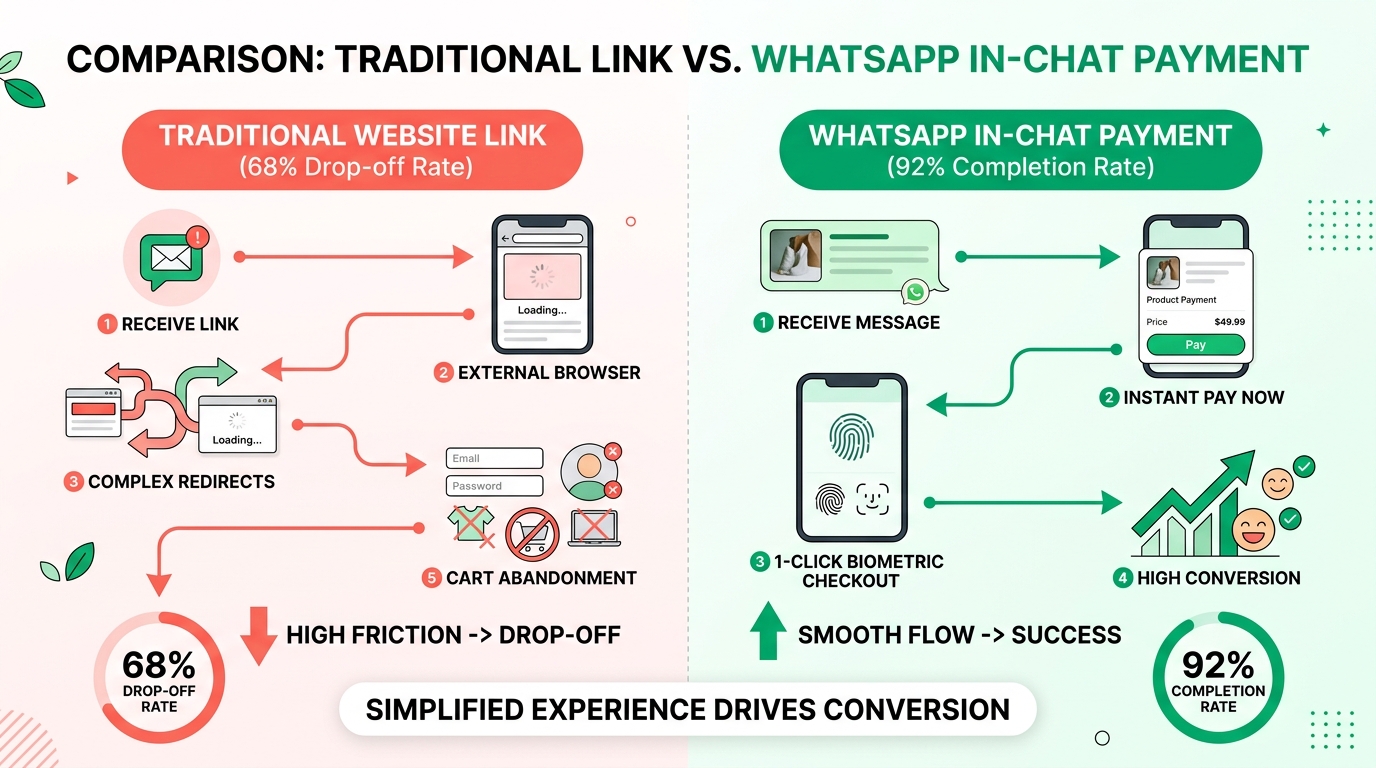
Visual 3: Data Comparison: Traditional website links result in a 68% drop-off rate due to complex redirects, while WhatsApp in-chat payments achieve a 92% completion rate.
Why WhatsApp Payments Deliver 3.5x Conversions
- Zero Browser Loading Delays: No waiting for external website pages to load on weak mobile networks.
- No Account Creation or Password Prompts: Buyers authenticate natively using device biometrics (Fingerprint/FaceID) and UPI PIN.
- Automated Abandoned Cart Recovery: Send automated payment card reminders 15 minutes after cart abandonment with a 1-click checkout button.
How Businesses Use MassivSend to Setup Payments
Connect Meta API
Link your official WhatsApp Business number via MassivSend's 1-click Meta Embedded Signup.
Link Razorpay / PayU
Add your Razorpay or PayU Merchant ID in Meta Business Manager under Payment Configurations.
Launch Broadcasts
Send interactive order cards, automated COD-to-prepaid offers, and invoice reminders with zero platform markup.